Free for 3 servers · no card

See every server you run,
on one page.

FleetWatch watches your Linux servers — CPU, memory, disk and Docker containers — without ever holding your SSH keys.

root@web-01
$ curl -sSL fleetwatch.io/install.sh | sh -s -- fwe_…
downloading agent for linux/amd64
enrolling this server
✓ installed and running
~2s
from paste to visible
4.6 MB
agent, no dependencies
30s
between samples
0
inbound ports to open
fleetwatch.io/fleet
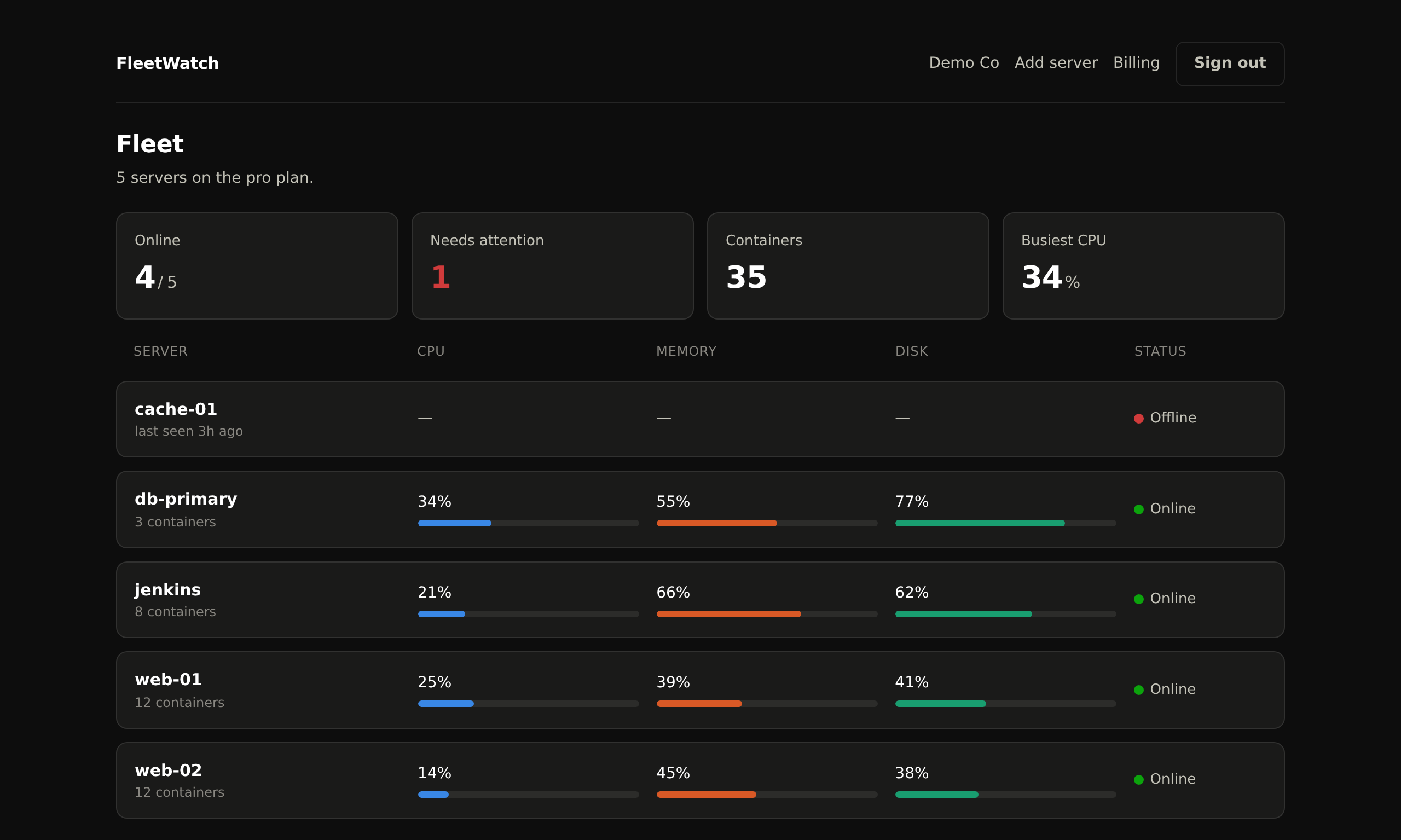
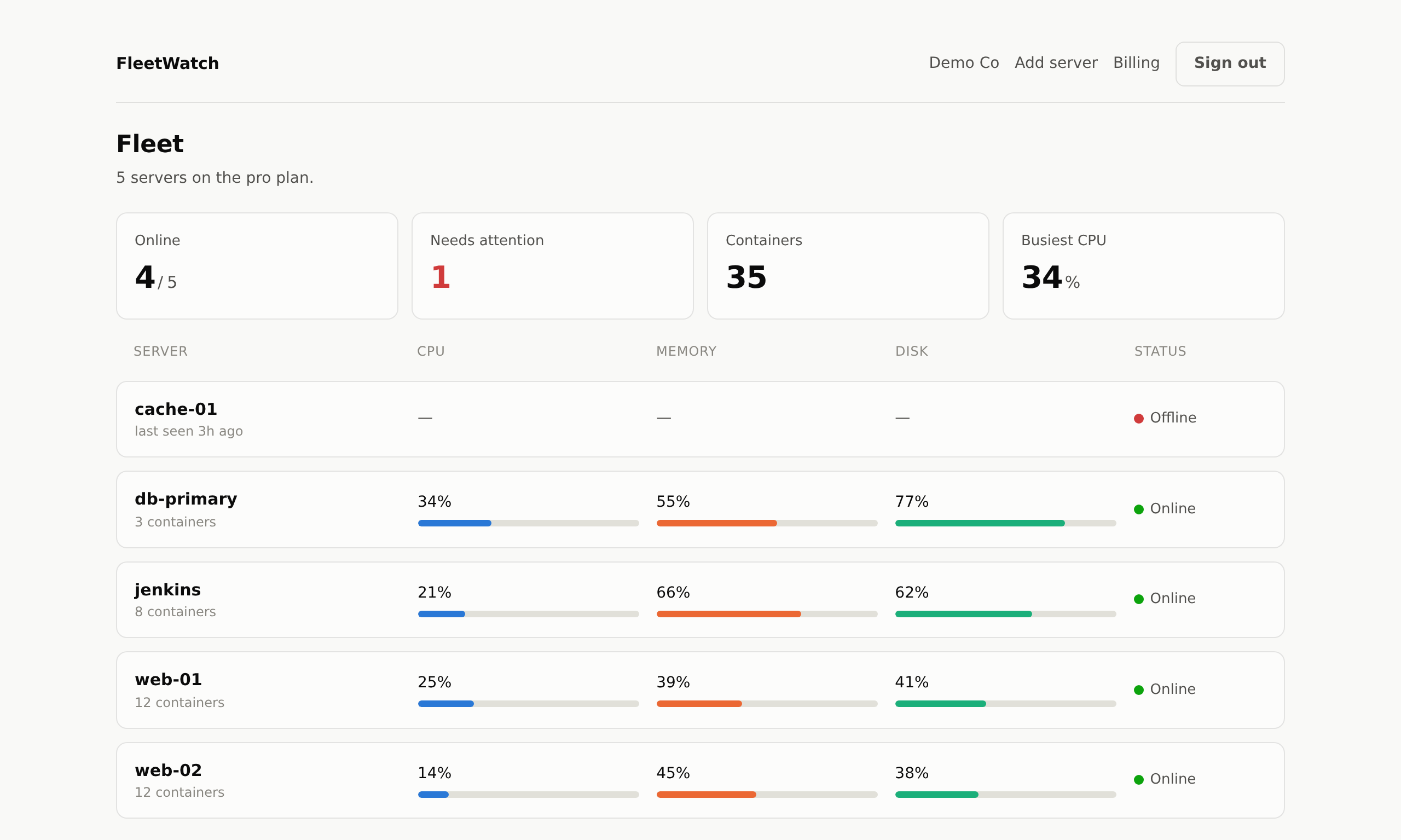
The fleet page: five servers with CPU, memory and disk for each, and one marked offline.
fleetwatch.io/fleet
The same fleet page in dark mode.
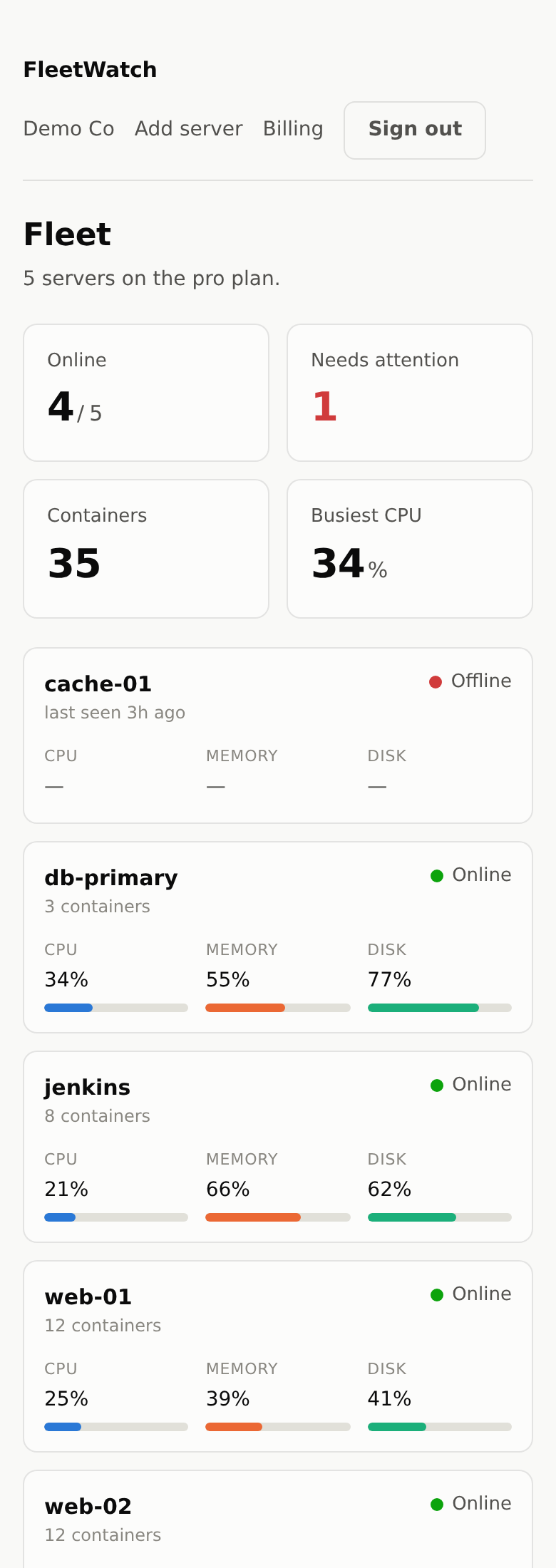
The fleet page on a phone, one server per card.

The part most tools get wrong

Most server dashboards want your SSH private keys so they can log in and run commands. That makes one vendor's breach into root on your production fleet.

Tools that log in to your servers

  • ✗ You hand over an SSH private key
  • ✗ You open port 22 to their IP range
  • ✗ Their breach becomes your breach
  • ✗ Their outage is your blind spot

FleetWatch

  • ✓ An agent runs inside your network
  • ✓ It connects out; we never connect in
  • ✓ No key of yours ever leaves your box
  • ✓ Worst case, we hold a history of CPU numbers

What you get

Everything listed here is built and running today. Nothing on this page is a roadmap item.

One command, then it's there

Paste a single line on any Linux box. No config file, no agent.yml, no restart of anything you already run.

We never ask for an SSH key

The agent connects outward. You hand over no credentials, so a breach on our side is not a breach of your fleet.

The whole fleet on one page

CPU, memory and disk for every server side by side, with the ones that stopped reporting called out rather than left showing stale numbers.

History, not just right now

Scrub back through one hour to seven days and see what a machine was doing before it fell over, not only what it is doing since it came back.

Docker, counted properly

Container counts come straight off the Docker socket, so it works on hosts that run Docker but have no docker CLI installed.

Numbers that mean what you think

Memory is total minus available, not minus free. Disk counts root-reserved blocks as used. Both keep a machine in trouble from looking fine.

How it works

Three steps, and the third one is optional.

1

Sign up

An email address and a password. No card until you pass 3 servers.

2

Paste one line

On each server, as root. It installs one small binary and a systemd service, then starts reporting.

3

Add more when you need to

Pro removes the limit and bills $9 per connected server per month.

Pricing

Pay for the servers you have connected. Nothing else is metered.

Free
$0 / month
  • Up to 3 servers
  • 7 days of history
  • Not a trial — it does not expire
Start free

Start with three servers, free

No card, no trial clock. Add a fourth when you are ready to pay for it.